Connect via USB-C
The terraPen can be driven over USB-C instead of Wi-Fi, using terraForge.
Steps
- Plug the terraPen into a wall outlet as normal.
- Connect a USB-C cable between the terraPen and your computer.
- In terraForge, open machine settings and set Connection to Usb rather than Wifi.
- Connect.
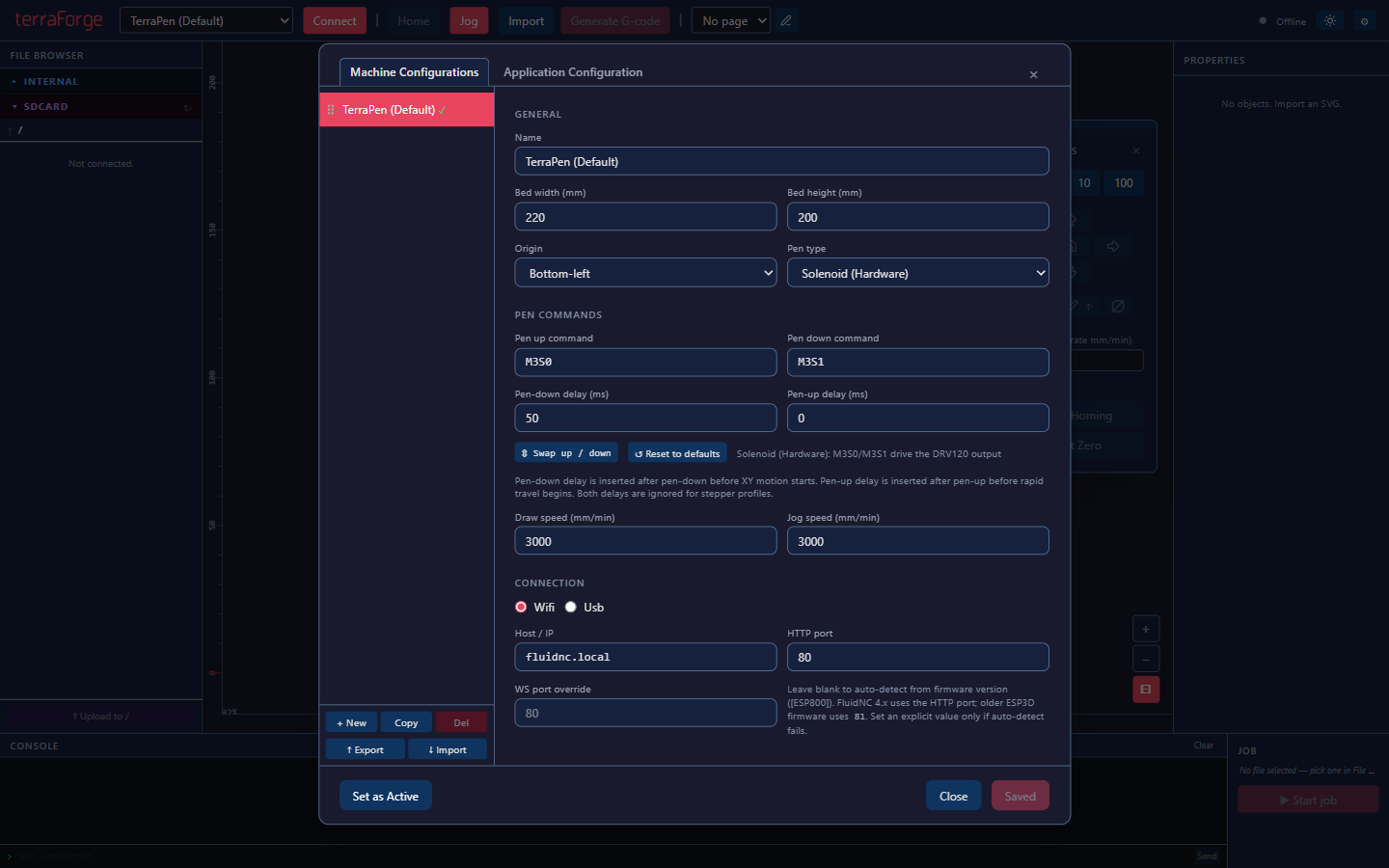
That is all that is required. Jogging, homing, pen control, file upload and plotting all work over the cable.
Useful when Wi-Fi is awkward
A cabled connection sidesteps network problems entirely, which is worth having in a busy studio or a space with poor Wi-Fi.
Other software
Lightburn can also drive the terraPen — see Lightburn profiles and settings — but terraForge is the supported route and the one to use unless you have a specific reason not to.