terraForge
terraForge is how we recommend you drive the terraPen. It is our own desktop application, built for this machine, and it replaces the older routine of exporting, converting and uploading G-code by hand.
Take the latest release candidate
terraForge is under active development, so the newest build is normally an RC release. That is the one to install.
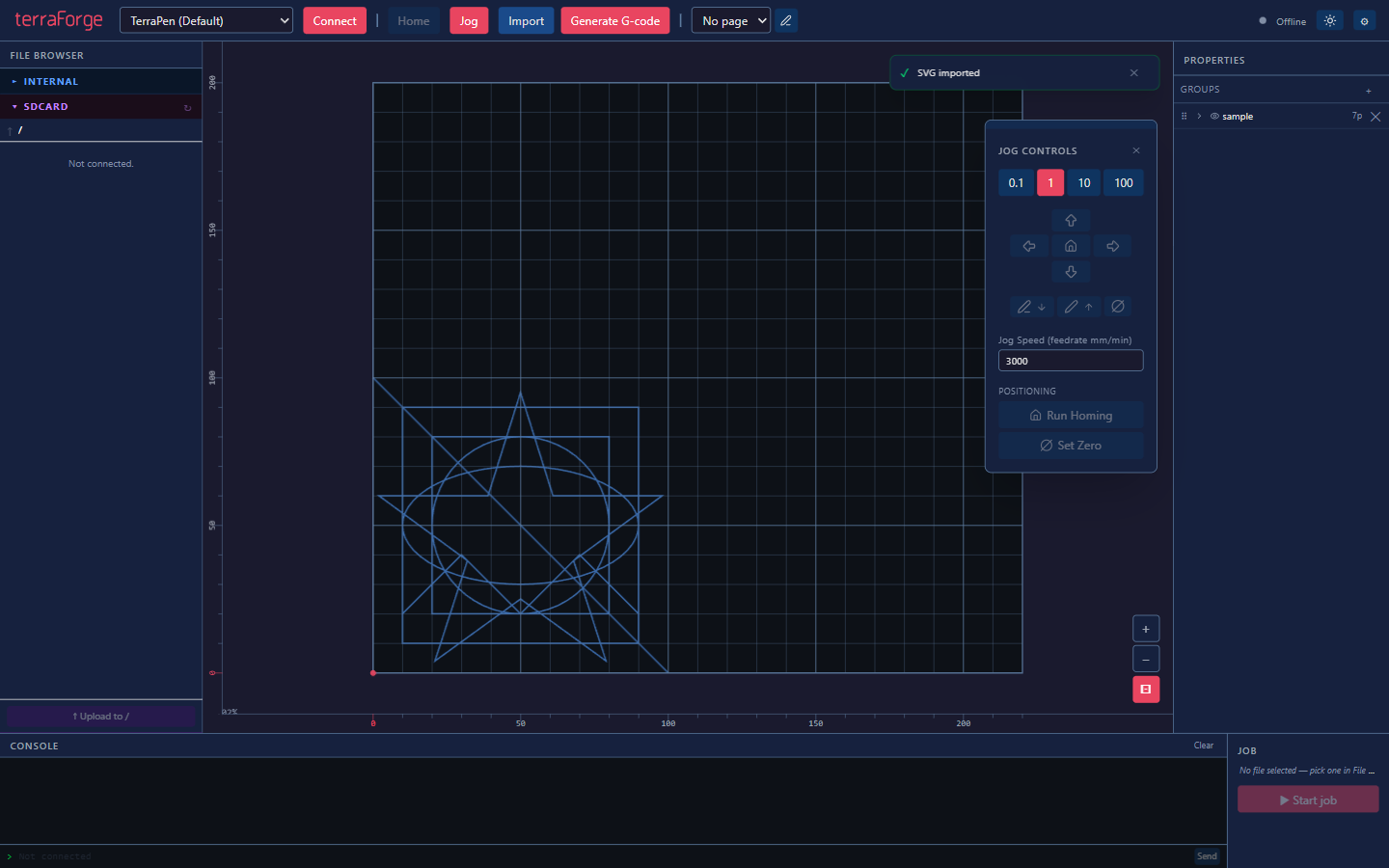
Artwork sits on a representation of the bed, with the file browser on the left, jog controls to hand, and the job panel bottom right.
1. Set up your machine profile
Open the settings and create or edit a machine configuration.
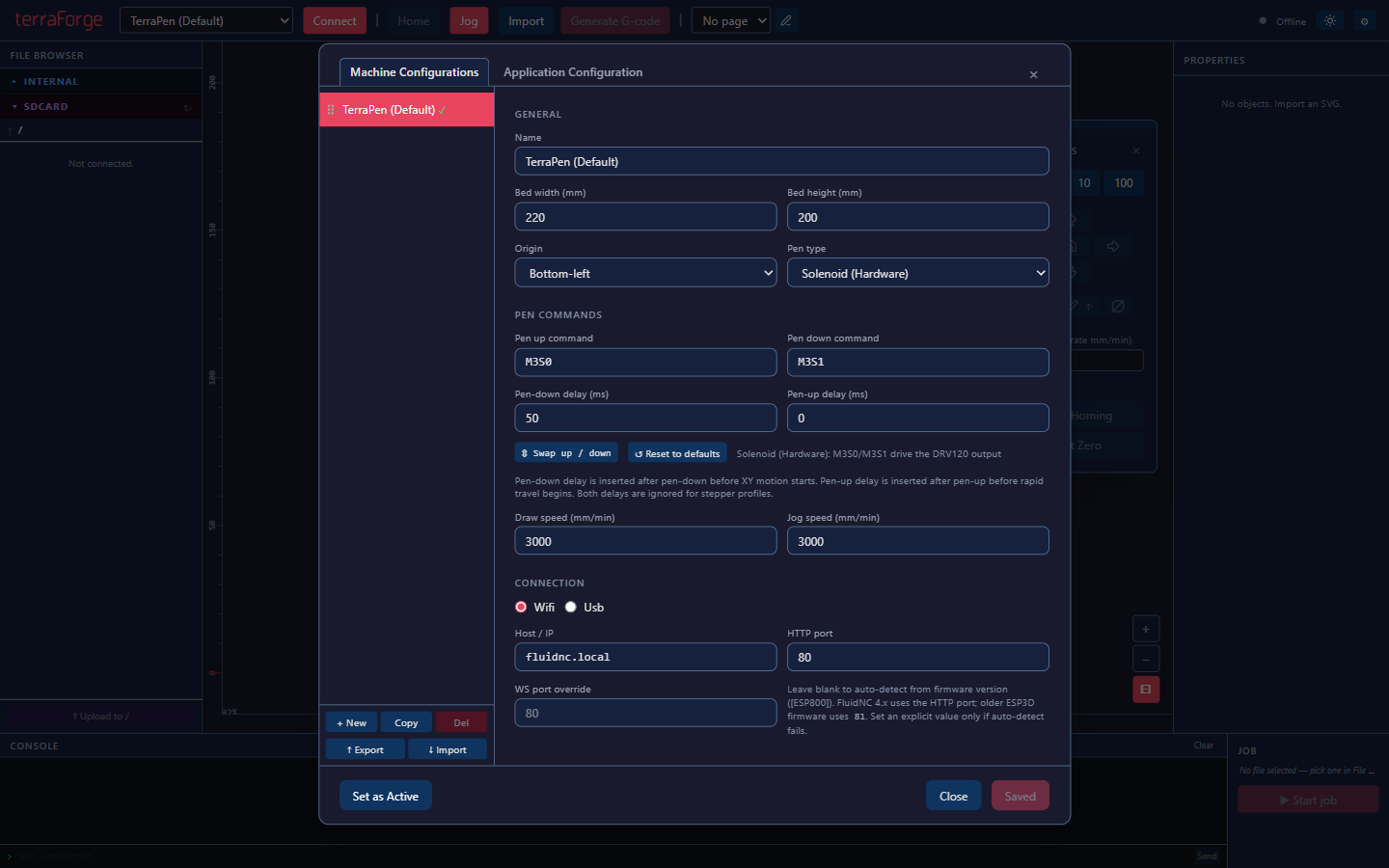
The settings that matter for a terraPen:
| Setting | Value |
|---|---|
| Bed width / height | 594 × 420 mm for the A2 terraPen |
| Origin | Bottom-left |
| Pen type | Match your toolhead — stepper on current machines. Solenoid machines need pen commands and delays set too. |
| Connection | Wifi or Usb |
| Host / IP | terrapen.local, or the address your router assigned |
Check the bed size before your first plot
The supplied default profile is smaller than an A2 terraPen. Set the bed to 594 × 420 mm, or artwork will not position where you expect.
2. Connect
Press Connect in the toolbar. The status indicator at the top right shows the connection state and the machine's position.
3. Import your artwork
Import accepts SVG and PDF, and will open existing G-code for preview. Position and scale it on the bed.
4. Generate G-code
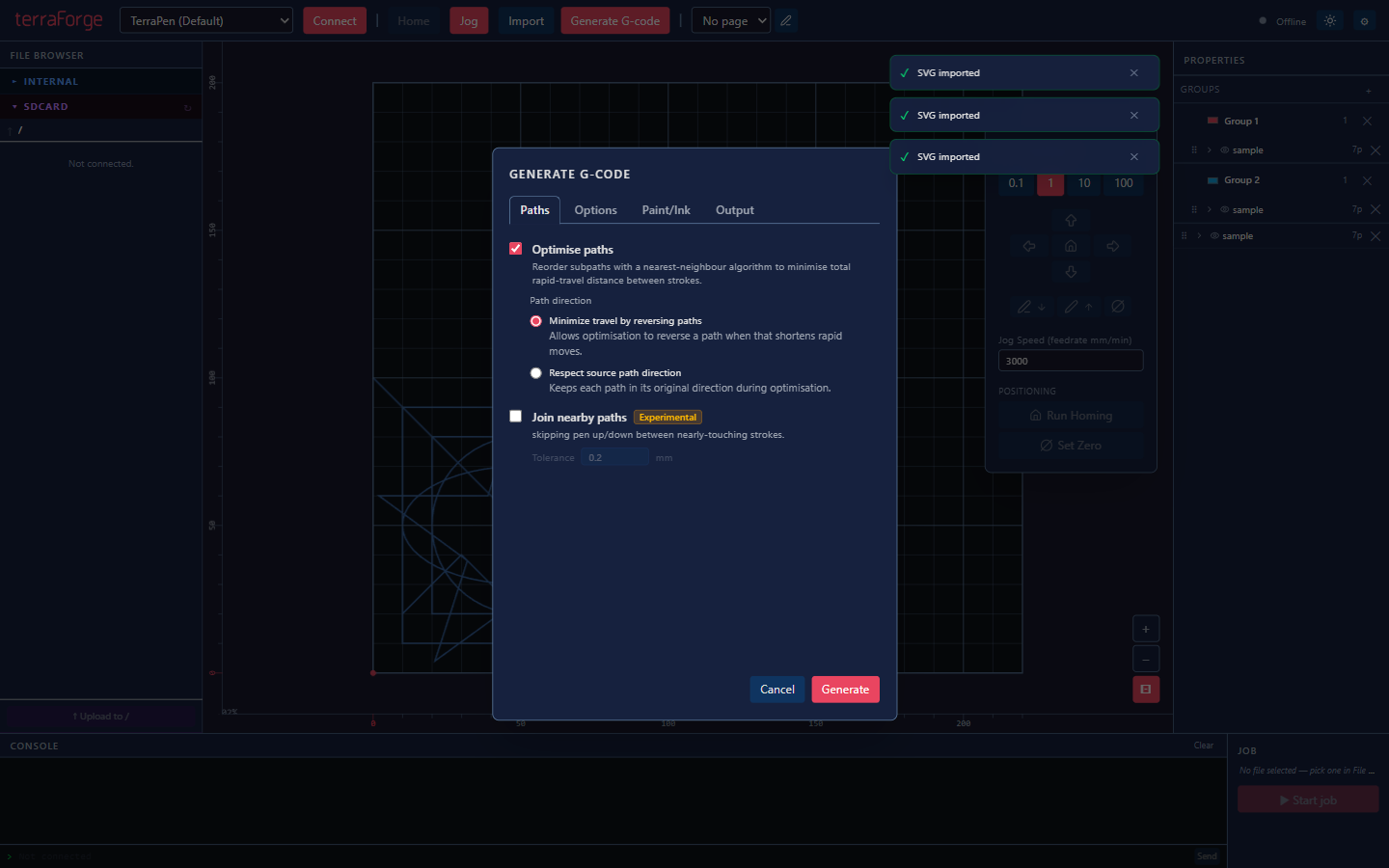
Optimise paths reorders the drawing with a nearest-neighbour algorithm to cut down the distance the pen travels between strokes. Leave it on unless you have a reason to preserve the original order.
5. Upload and plot
Send the file to the machine's SD card and start the job. Progress, Pause and Abort appear in the job panel:

Feedback
terraForge is developed in the open, and questions, suggestions and bug reports are genuinely wanted. Bring them to our Discord.
You still set the machine up by hand
terraForge handles artwork and jobs. Fitting paper and setting pen height still happen at the machine — see Your first plot.
Screenshots from the terraForge repository, MIT licensed.